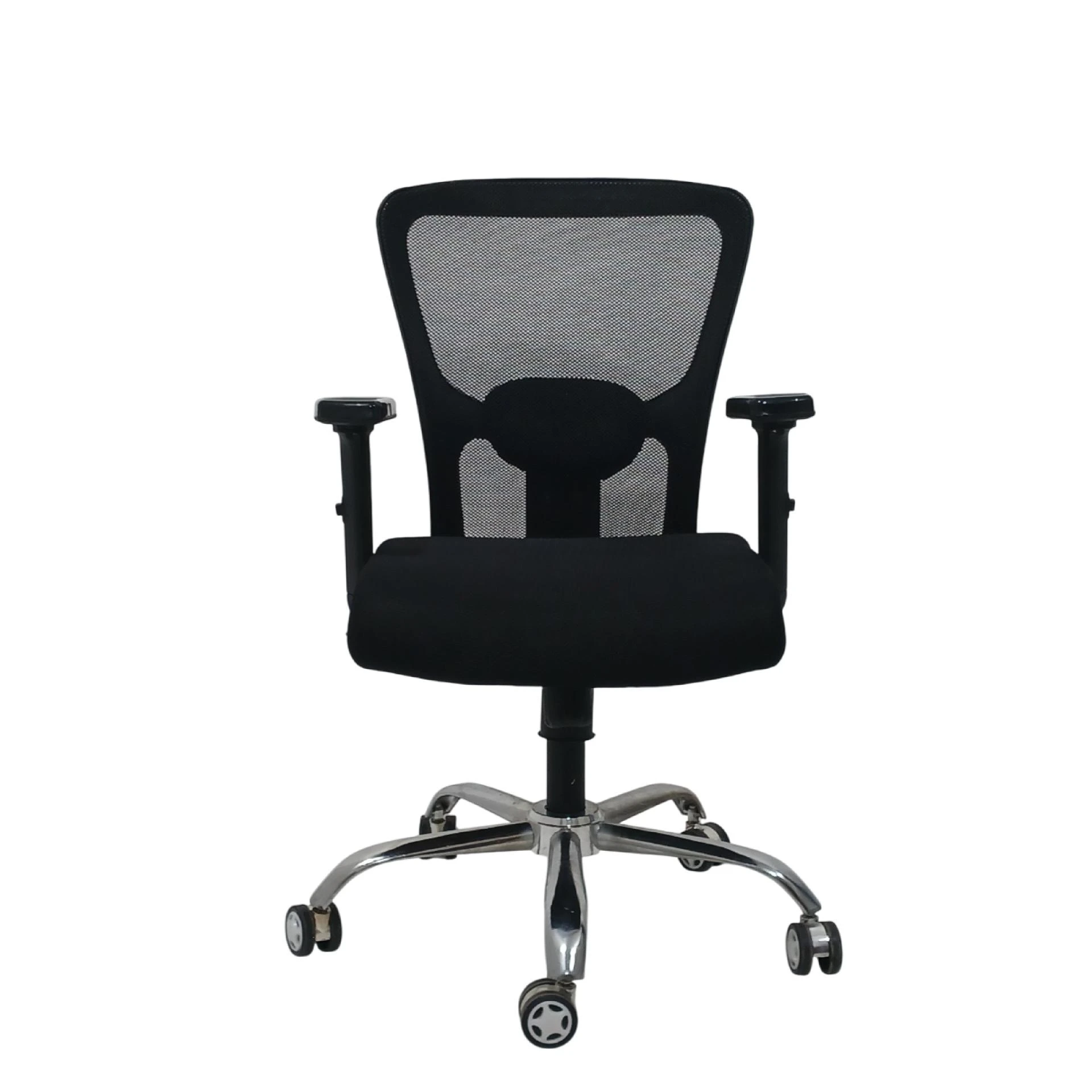

Purchasing an executive chair online can feel surprisingly similar to choosing a vehicle: the options look endless, the sizes vary, and what matters most might not be obvious at first glance. Since you’ll likely sit in your chair for long hours—during meetings, deep work, client calls, or even casual admin tasks—your executive chair should support your body, improve comfort, and help you maintain a healthy posture. The goal is simple: buy something that looks professional and feels good day after day. In this guide, you’ll find practical, buyer-friendly tips for choosing the right model when shopping for executive chairs online, without getting overwhelmed by marketing claims.
Why an Executive Chair Matters More Than You Think
An executive chair isn’t just “nice seating.” It’s a productivity tool. Unlike basic chairs, executive designs usually focus on full-body support: stable back coverage, adjustable features, comfortable seat cushioning, and ergonomics that can reduce fatigue. When your chair fits you well, you’re less likely to experience low-back discomfort, neck strain, or shoulder tension—problems that can quietly build over time.
Also, an executive chair influences how you move throughout the day. With the right tilt, arm height, and seat depth, you can shift positions naturally instead of forcing your body into a fixed posture. That matters for meetings, long work sessions, and even moments when you just need to lean back and relax while staying supported.
Step 1: Start With Your Needs (Not Just the Look)
Before comparing products, decide what you need most. Ask yourself:
- Do you sit for 6–8 hours daily or just occasionally?
- Is your work mostly desk-based, or do you alternate between tasks?
- Do you struggle with back pain, neck stiffness, or shoulder discomfort?
- Do you prefer a chair with a headrest, or would you rather keep it minimal?
- Will multiple people use the chair, or is it for one primary user?
Executive chairs vary widely in support style. Some emphasize a firm, structured feel, while others offer softer cushioning and a more relaxed recline. By knowing your priorities first, you’ll narrow choices quickly and avoid returning a chair you don’t truly like.
Step 2: Confirm the Chair’s Ergonomic Support Features
When shopping for executive chairs online, prioritize these ergonomic elements:
1) Lumbar Support (Lower Back Support)
A good chair should support the natural curve of your lower spine. Look for adjustable lumbar or contoured backing that helps reduce slouching. If the chair “pushes” you backward too strongly or has no lumbar definition, you may feel uncomfortable after a short time.
2) Backrest Coverage and Shape
Executive chairs often come with a higher backrest, but the real question is whether it supports your specific body shape. If the backrest is too tall, it can feel bulky or press into the shoulders. If it’s too short, you may lose lower back support.
3) Seat Comfort and Cushion Quality
Seat cushioning should feel supportive—not overly soft and not rock-hard. Too-soft foam can cause you to sink and lose posture. Too-firm can reduce comfort during longer sessions. Many online listings describe foam type or thickness; even without technical details, customer reviews often reveal whether the seat feels “comfortable for long hours.”
4) Armrests: Adjustability Is Key
Armrests can make or break comfort. Ideally, armrests should help you maintain elbows around a relaxed angle so your shoulders don’t rise. Look for adjustment options such as height and width, not only fixed arms.
5) Headrest (For Neck Comfort)
If your job involves leaning back, using video calls, or you often feel neck fatigue, a headrest can be beneficial. However, ensure it’s adjustable for height and angle. A headrest that can’t match your posture may push your head forward instead of supporting it.
Step 3: Measure Your Workspace Like a Pro
A chair can be perfect and still feel wrong if it doesn’t match your desk setup. Before purchasing, confirm:
- Desk height (so your forearms aren’t angled too high or too low)
- Chair height range (so your feet can rest comfortably)
- Space clearance under the desk for your knees and seat movement
- Whether your chair’s armrests interfere with your desk
If possible, compare your current chair settings to your preferred posture. Many buyers skip this step and end up with a chair that looks great but doesn’t fit their daily workflow.
Step 4: Choose the Right Base and Stability
Executive chairs often use a wheeled base for mobility. Make sure the base feels stable and that the chair glides smoothly rather than wobbling. The wheel type matters too: some chairs work better on carpet, others on hardwood or tile. If your environment includes rugs, you may need chair-friendly casters designed to roll properly without catching.
Step 5: Recline and Tilt Mechanics Should Match Your Work Style
Not all recline mechanisms are the same. Some chairs allow a gentle lean-back for comfort breaks, while others offer more range. For professional use, look for:
- Smooth reclining that doesn’t jerk
- Locking positions that let you hold your posture during focused work
- A comfortable return to upright posture
If you frequently sit upright for typing and calls, a chair with controllable recline (and a stable upright position) is usually better than one that reclines too easily.
Step 6: Material and Finish: Comfort + Durability
Online listings often show images of chair upholstery, but comfort and lifespan come down to material quality. Common upholstery choices include:
- Leather or PU/leather-like surfaces: often look premium and clean easily, but the feel depends on thickness and padding.
- Mesh or breathable panels: can reduce heat buildup during long workdays.
- Fabric upholstery: can feel softer, but cleaning requirements vary.
Think about your environment. If your office runs warm, breathable materials may feel better over time. If you want a formal, executive appearance, consider upholstery that maintains its look even with frequent use.
Step 7: Warranty, Returns, and Support Policy (Don’t Skip This)
One of the biggest risks of buying furniture online is ending up with a chair that doesn’t suit you. Before checkout, check:
- Return window duration
- Warranty length and what it covers
- Whether shipping costs apply during returns
- Customer support responsiveness
A solid return policy protects you if the seat feels different than expected or if the chair doesn’t match your height adjustments.
Step 8: Budget Smartly—Executive Doesn’t Mean Overpaying
It’s tempting to buy the most expensive option because it “sounds” better. But executive comfort usually comes from correct ergonomics and adjustable features—things that can exist across price ranges. Instead of focusing only on price, create a shortlist based on:
- Adjustable lumbar (or strong lower back support)
- Seat comfort you can confirm through reviews
- Armrest adjustability
- Stability and smooth movement
- Warranty and returns
If you find a chair that nails those areas, you’re more likely to feel satisfied long term, even if it’s not the priciest model.
Step 9: Read Reviews Like a Buyer, Not Like a Scroller
Customer reviews can reveal what product images don’t show. When reading feedback, look for:
- Mentions of long-hour comfort
- Statements about lumbar support effectiveness
- Whether adjustments are easy or frustrating
- Complaints about armrest alignment, seat firmness, or headrest fit
- Notes on durability (how it holds up after months)
Also watch out for patterns. One person’s preference may differ, but repeated comments about the same issue—like “too hard,” “wobbly,” or “headrest doesn’t fit”—are meaningful signals.
Step 10: Confirm Compatibility With Your Body Size
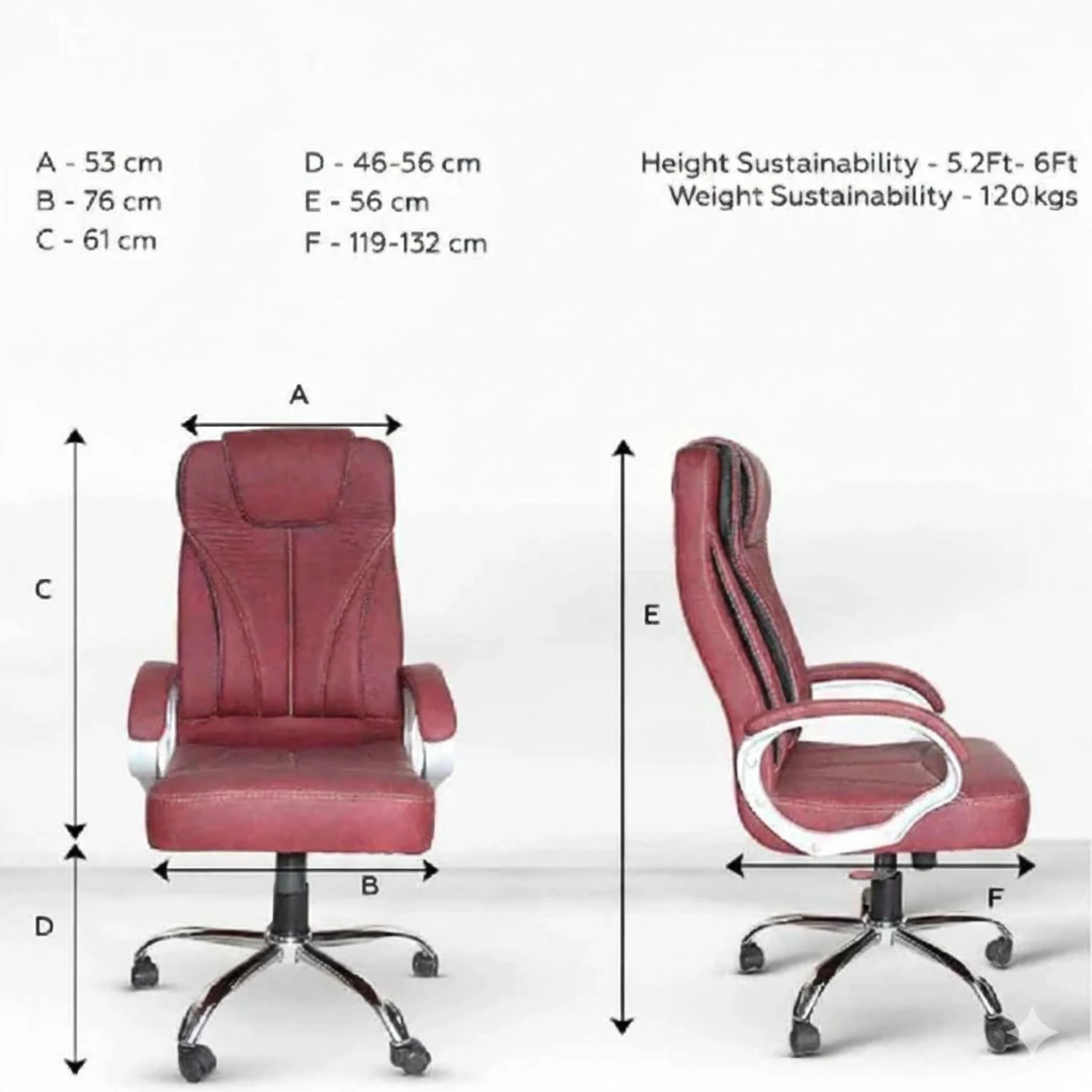
Executive chair sizing can vary. If the chair listing provides height/weight ranges, follow them. Even if you’re “within” the range, your posture matters: long torsos, shorter legs, or broader shoulders may change how the chair feels. If the chair allows seat depth adjustment, that can significantly improve fit by aligning the seat pan to your leg length.
Common Mistakes to Avoid When Buying Executive Chairs Online
Here are typical pitfalls to watch for:
- Choosing based only on appearance—looks don’t guarantee comfort.
- Ignoring armrest adjustability—fixed arms often create shoulder tension.
- Not checking return or warranty—risk increases without protection.
- Skipping measurements—desk compatibility determines how you’ll sit daily.
- Overlooking lumbar support—low-back comfort is the real foundation.
- Assuming all headrests fit everyone—headrest height and angle should match your posture.
Conclusion
Buying an executive chair online can be easy once you approach it with a plan. Start with your work routine and comfort needs, then verify key ergonomic features like lumbar support, armrest adjustability, seat comfort, and headrest fit. Match the chair to your workspace using simple measurements, and protect your purchase by checking warranty and return options. When you shop thoughtfully, you don’t just buy a chair—you invest in long-term comfort, posture support, and a better daily work experience.
In conclusion, choose thoughtfully and prioritize comfort, adjustability, and support over flashy features—so your decision feels confident today and satisfying months from now.












Sign in to leave a comment.