
Smartphones have come a long way. With impressive cameras, advanced features, and clever editing tools, many now ask: Can you really do high-quality packshot photography with a smartphone? The answer is a surprising yes — if done right.
For small businesses, creators, or startups dipping their toes into ecommerce photography, the thought of investing in expensive DSLRs, lighting kits, and a full-blown packshot studio might be intimidating. But the good news is that modern smartphones offer capabilities that are more than enough for studio product photography, especially when you're starting out.
In this guide, the experts at Click Studio walk you through the dos, don'ts, and top strategies to make your smartphone shots look sharp, professional, and sales-worthy.
Understanding Packshot Photography
Before we dive into technique, let’s clarify what packshot photography is. It typically refers to clean, high-resolution product images — usually on a white or neutral background — that clearly showcase the product. Think Amazon listings, catalogue images, and online stores. These photos are essential for ecommerce because they influence purchasing decisions and help build trust with customers.
Why Smartphones Are Now a Viable Option
Modern smartphones are equipped with:
- High megapixel sensors
- Built-in AI image optimisation
- Multiple lenses (wide, macro, portrait)
- Advanced editing apps
- Raw image capture in many models
Combine this with a bit of technique, and you've got the essential tools for sharp, clean, professional product photography.
Tips to Achieve High-Quality Packshots with a Smartphone
Lighting is Everything
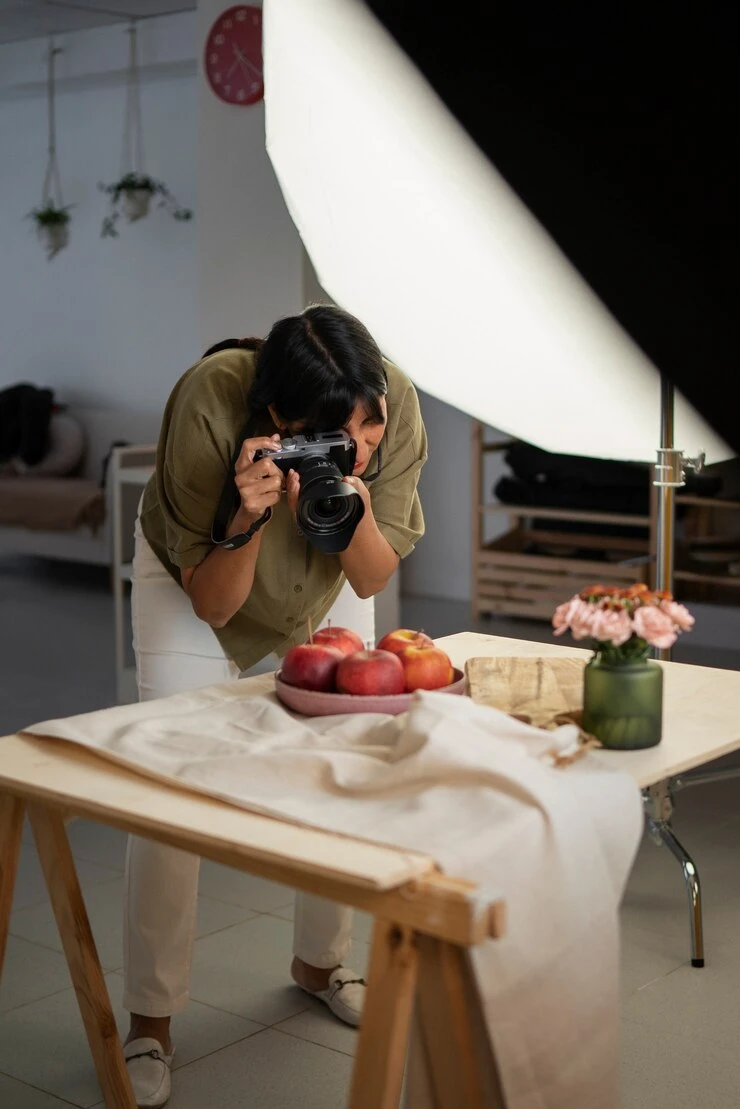
Natural daylight is your best friend. Place your product near a large window, ideally diffused with a white curtain to soften shadows. Alternatively, use a cheap softbox light or ring light for consistency.
Use a Clean Background
A white sweep or foam board setup instantly gives a polished look. You can even purchase small foldable lightboxes designed for smartphone product shoots.
Stabilise Your Shots
Use a tripod or a stable surface. Camera shake — even minor — affects sharpness. Many affordable tripods now come with smartphone holders.
Tap to Focus and Adjust Exposure
Don’t just point and shoot. Tap on the product to focus and slide your finger up or down to manually adjust exposure levels. This ensures the product is well lit and properly highlighted.
Use Gridlines and Shooting Modes
Enable gridlines to align your product perfectly. If your phone offers "Pro" or "Manual" mode, use it to control ISO, shutter speed, and white balance — just like a DSLR.
Capture in High Resolution or RAW
Always shoot in the highest resolution possible. Many phones also allow RAW capture — ideal for editing flexibility and retaining detail.
Edit Like a Pro
Apps like Lightroom Mobile, Snapseed, or VSCO can help you clean up backgrounds, adjust contrast, and fix lighting — all from your phone.
When to Consider a Packshot Studio
While smartphones are great for getting started, there’s a point where outsourcing to a packshot studio like Click Studio makes sense — especially when:
- Your catalogue expands to dozens or hundreds of products
- You need pixel-perfect consistency across your listings
- You require high-end retouching or 360-degree product spins
- Your brand enters large-scale retail or B2B ecommerce
At Click Studio, we blend creative precision with technical expertise to deliver exceptional studio product photography for brands of all sizes.
Pros of Smartphone Packshot Photography
- Cost-effective
- Fast turnaround
- Minimal gear needed
- Great for social media and small-scale ecommerce
Limitations to Consider
- Limited control over depth of field
- Struggles with reflective or transparent items
- Consistency can be tricky without studio lighting
- Background removal may be more time-consuming
In short, smartphones can get the job done — but if you're aiming for premium results at scale, it's worth investing in professionals.
Conclusion
Yes — high-quality packshot photography is absolutely possible with a smartphone. With smart planning, good lighting, and a few essential tools, you can create product images that look professional and convert viewers into customers. While smartphones provide a great start, scaling up often means partnering with pros.
At Click Studio, we work with brands across the UK to provide cutting-edge ecommerce photography, tailored for every product and platform. Whether you’re a start-up shooting on your phone or an established brand needing a reliable packshot studio, we’ve got your back.
FAQs
Can I use a smartphone for professional product photography on Amazon or Shopify?
Yes, as long as your photos are sharp, well-lit, and meet the platform's requirements. Many sellers successfully use smartphone images on ecommerce platforms, especially when starting out.
What phone is best for packshot photography?
Any modern iPhone (from iPhone 12 upwards), Google Pixel, or Samsung Galaxy with a decent camera will work well. Look for models that support RAW capture and manual control.
Do I need editing apps for smartphone packshots?
Yes. Even the best shots need slight editing. Use Lightroom Mobile, Snapseed, or Photoshop Express to fine-tune colours, brightness, and background cleanup.
How do I shoot glossy or reflective items with a smartphone?
Use a light tent or white bounce boards around the product to diffuse reflections. Position lights carefully to avoid glare, and shoot from angles that reduce shine.
What size and format should I save my product photos in?
Aim for at least 2000x2000 pixels in JPEG or PNG. If your phone allows, shoot in RAW and convert to high-res JPEG during editing.
When should I switch to using a professional packshot studio?
When your product line grows, when you need consistency across dozens of images, or when your DIY results no longer match your brand’s quality standards.










Sign in to leave a comment.