

System failures, natural disasters, and cyber attacks can cripple enterprise operations within minutes. For IT professionals managing mission-critical data environments, implementing a robust disaster recovery strategy isn't optional—it's essential for business survival.
Storage Area Networks (SAN) provide the foundation for enterprise-grade disaster recovery solutions, offering the performance, scalability, and reliability required to maintain business continuity. This comprehensive blueprint outlines the strategic approach to implementing SAN-based disaster recovery, ensuring your organization can rapidly restore operations when disruptions occur.
The financial impact of downtime makes disaster recovery planning a critical business imperative. Organizations that fail to implement proper recovery mechanisms face not only immediate operational losses but also long-term reputational damage and regulatory compliance issues.
Understanding SAN Architecture for Disaster Recovery
SAN or Storage Area Network represent dedicated, high-performance networks that connect servers to storage devices, creating a centralized storage infrastructure that supports advanced disaster recovery capabilities. Unlike traditional direct-attached storage (DAS) or network-attached storage (NAS), SAN solutions provide block-level storage access through Fibre Channel, iSCSI, or Fibre Channel over Ethernet (FCoE) protocols.
The architecture's inherent advantages make SAN solutions particularly effective for disaster recovery implementations. Centralized storage management enables consistent backup policies across the entire infrastructure, while high-speed connectivity ensures rapid data replication and recovery operations. SAN's ability to support multiple host connections simultaneously facilitates seamless failover processes during disaster scenarios.
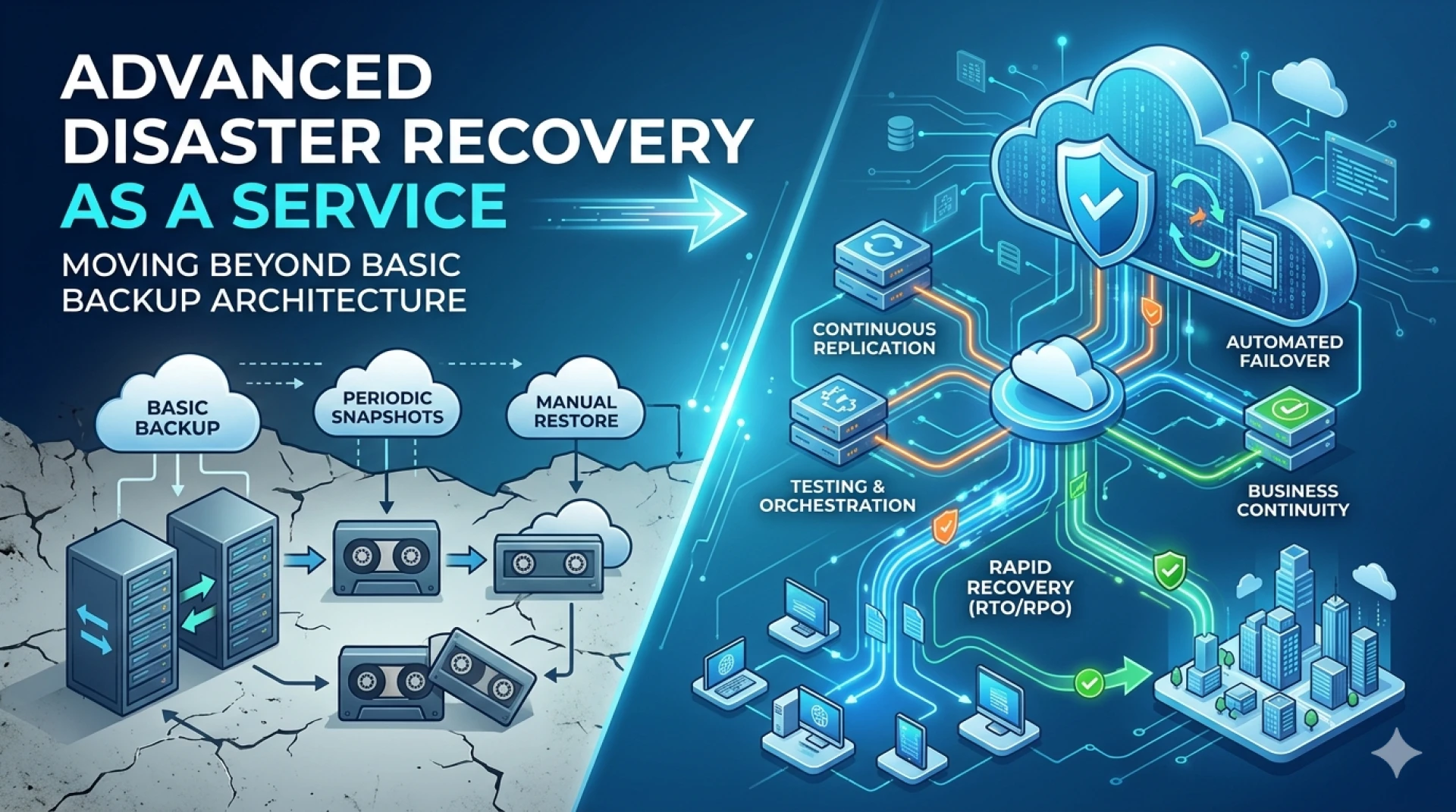
Modern SAN implementations incorporate advanced features specifically designed for disaster recovery, including snapshot capabilities, synchronous and asynchronous replication, and automated failover mechanisms. These features work together to minimize recovery time objectives (RTO) and recovery point objectives (RPO), ensuring organizations can restore operations with minimal data loss.
Step-by-Step SAN Disaster Recovery Implementation
Phase 1: Assessment and Planning
Begin by conducting a comprehensive business impact analysis to identify critical applications, data dependencies, and acceptable downtime thresholds. Document current infrastructure topology, including SAN fabric configuration, storage allocation, and network connectivity requirements.
Establish clear RTO and RPO targets for each application tier. Mission-critical systems typically require RTO values under one hour and RPO values under 15 minutes, while less critical applications may tolerate longer recovery windows. These metrics directly influence SAN configuration decisions and replication strategies.
Phase 2: Infrastructure Design and Configuration
Design the disaster recovery site architecture to support your established RTO and RPO requirements. This includes selecting appropriate SAN hardware, configuring storage pools, and establishing network connectivity between primary and secondary sites.
Implement storage virtualization technologies to abstract physical storage resources and enable flexible resource allocation during recovery operations. Configure LUN masking and zoning to ensure proper access controls and security boundaries across the SAN fabric.
Phase 3: Replication Strategy Implementation
Configure data replication based on your RPO requirements and available bandwidth. Synchronous replication provides zero data loss but requires high-bandwidth, low-latency connections between sites. Asynchronous replication offers more flexibility for geographically distributed sites but may result in some data loss during disasters.
Establish replication schedules that balance data protection requirements with network performance impact. Critical databases may require continuous replication, while less critical data can use scheduled snapshot-based replication to minimize bandwidth consumption.
Phase 4: Automated Failover Configuration
Implement automated failover mechanisms to reduce RTO and minimize human error during disaster scenarios. Configure cluster management software to monitor primary site availability and trigger failover procedures when predetermined thresholds are exceeded.
Develop runbook automation for common disaster scenarios, including storage presentation, network reconfiguration, and application startup sequences. Test these automated procedures regularly to ensure they function correctly under various failure conditions.
Best Practices for SAN-Based Disaster Recovery
Network Optimization and Redundancy
Design SAN networks with redundant paths to eliminate single points of failure. Implement multipathing software to ensure continued storage access even when individual fabric components fail. Configure Quality of Service (QoS) policies to prioritize disaster recovery traffic during bandwidth-constrained scenarios.
Establish dedicated replication networks where possible to isolate disaster recovery traffic from production workloads. This approach prevents replication activities from impacting application performance and ensures consistent replication windows.
Security and Compliance Considerations
Implement comprehensive security measures for disaster recovery infrastructure, including encryption for data in transit and at rest. Configure role-based access controls to limit disaster recovery system access to authorized personnel only.
Ensure disaster recovery procedures comply with relevant regulatory requirements, such as data residency restrictions and audit trail maintenance. Document all security configurations and maintain current compliance certifications for disaster recovery sites.
Testing and Validation Procedures
Establish regular testing schedules to validate disaster recovery capabilities and identify potential issues before actual disasters occur. Conduct both planned failover tests and surprise drills to evaluate staff readiness and procedure effectiveness.
Document test results and maintain improvement plans to address identified deficiencies. Update disaster recovery procedures based on infrastructure changes, application modifications, and lessons learned from testing exercises.
Monitoring and Alerting
Implement comprehensive monitoring solutions to track SAN performance, replication status, and disaster recovery system health. Configure automated alerting for replication failures, storage capacity issues, and network connectivity problems.
Establish escalation procedures for disaster recovery alerts, ensuring critical issues receive immediate attention from qualified personnel. Monitor key performance indicators such as replication lag, bandwidth utilization, and storage capacity to proactively identify potential problems.
Ensuring Business Continuity with SAN Solutions
SAN-based disaster recovery solutions provide the robust foundation necessary for maintaining business continuity in increasingly complex IT environments. The centralized storage architecture, combined with advanced replication and failover capabilities, enables organizations to achieve aggressive RTO and RPO targets while maintaining operational efficiency.
Success depends on thorough planning, proper implementation, and ongoing validation through regular testing. Organizations that invest in comprehensive SAN solutions disaster recovery solutions position themselves to weather unexpected disruptions while maintaining competitive advantage and customer trust.
The evolving threat landscape makes disaster recovery planning more critical than ever. By following this step-by-step blueprint and implementing proven best practices, IT professionals can build resilient SAN-based disaster recovery solutions that protect organizational assets and ensure business continuity when it matters most.













Sign in to leave a comment.