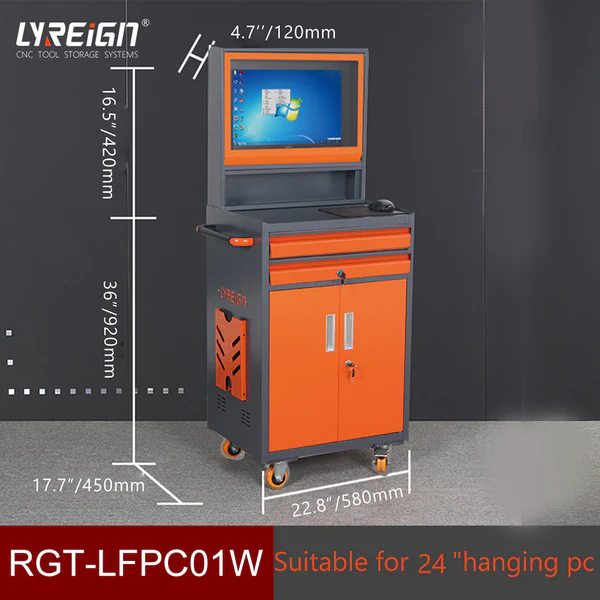

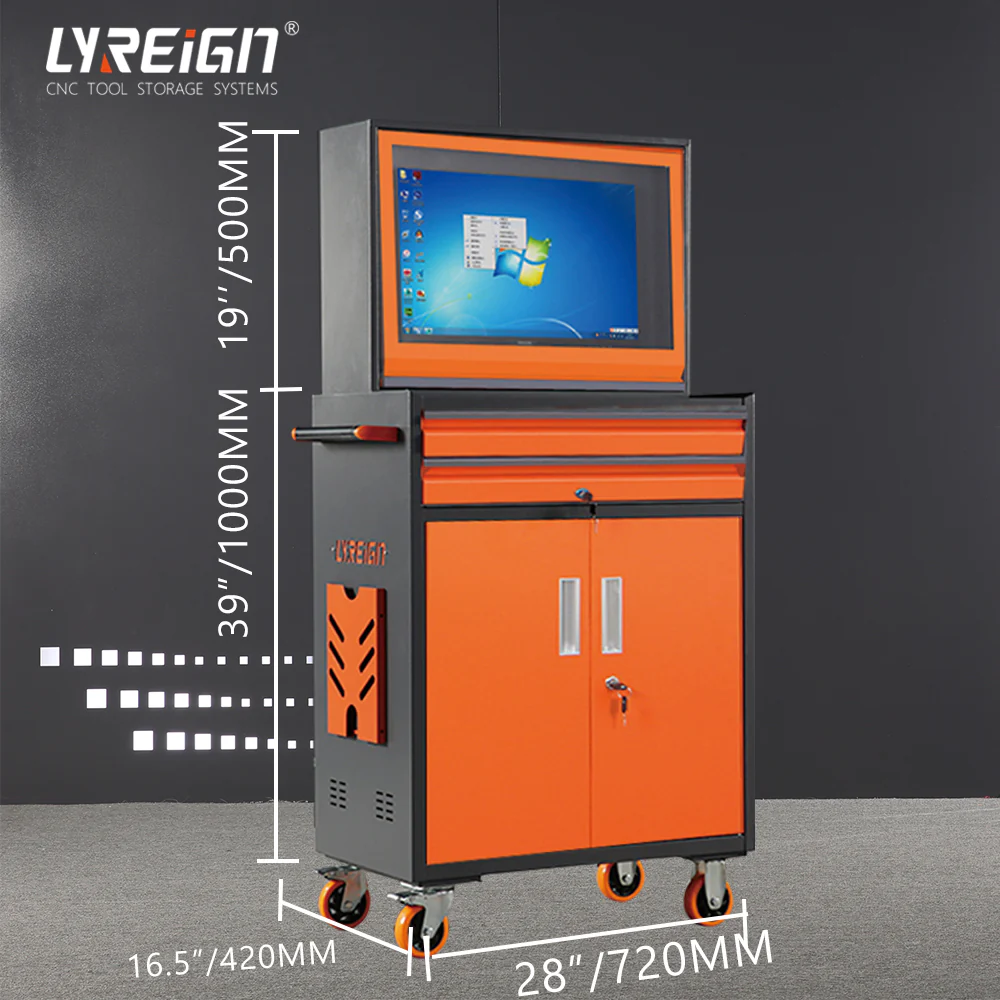
When it comes to securing your equipment in demanding environments, the correct installation process is just as important as choosing the right hardware. At LYREIGN, we understand how crucial it is to ensure your systems remain protected, accessible, and functional. Mounting your PC in industrial PC cabinets can extend its lifespan, improve safety, and enhance performance. This guide will walk you through the essential steps to safely mount your PC in a cabinet.
Why Use Industrial PC Cabinets?
Industrial environments in China and worldwide often expose machines to dust, vibration, moisture, and temperature fluctuations. Industrial PC cabinets are designed to shield sensitive electronic components from these challenges. They provide durable housing that ensures your equipment operates reliably in factories, workshops, and production facilities. By investing in a proper cabinet, you’re protecting not only your device but also your operations from costly downtime.
Step 1: Choose the Right Cabinet
Before mounting, make sure the cabinet is suited for your specific PC size, ventilation needs, and environment. Cabinets from LYREIGN are built to handle various industrial conditions while offering enough space for secure wiring and airflow. When selecting, consider:
- Proper dimensions for your PC and accessories
- Dust and water resistance ratings
- Heat management features such as fans or cooling units
Step 2: Prepare the Environment
The location of the cabinet is just as important as the cabinet itself. Place it in a clean, stable area with minimal vibration and away from direct exposure to extreme heat or chemicals. This ensures that your industrial PC cabinets perform their role effectively.
Step 3: Secure Mounting
Once you’ve prepared the site, follow these steps for mounting:
- Install Mounting Rails or Brackets – Use the provided mounting rails or adjustable brackets to fit the PC snugly.
- Fasten with Screws – Secure the device using the recommended screws or clamps, ensuring there’s no movement during operation.
- Manage Cables – Route cables neatly using cable organizers inside the cabinet. This prevents tangling, reduces wear, and simplifies maintenance.
Step 4: Ensure Ventilation and Cooling
Heat is one of the biggest threats to electronics. Always leave enough clearance for airflow, and if required, install additional cooling systems like fans or air filters. Proper ventilation inside industrial PC cabinets will keep the system running efficiently without overheating.
Step 5: Final Checks
After installation, double-check all connections, fasteners, and safety measures. Make sure doors close securely and locks (if present) are functional. Regular inspections help maintain the protection and extend the equipment’s operational life.
Conclusion
Mounting your PC securely in industrial PC cabinets is not only about organization but also about safety and performance. With the right cabinet and careful installation, you safeguard your investment while ensuring smooth operations. At LYREIGN, we deliver high-quality solutions in China designed to meet the toughest industrial standards. Choose the right cabinet today and give your systems the protection they deserve.










Sign in to leave a comment.