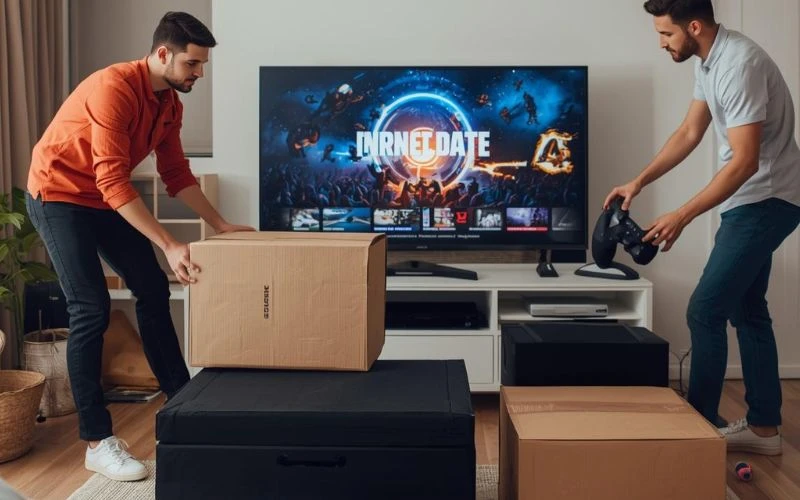

Relocating house in busy suburbs like Milsons Point or Neutral Bay often means navigating tight apartment spaces, lifts, and limited parking. Now add expensive electronics to the mix—gaming consoles, surround sound systems, large TVs—and suddenly the move feels a lot riskier.
Interestingly, consumer electronics are among the most commonly damaged household items during a move, largely because they’re packed incorrectly or cables are disconnected in a rush. A single mistake—like pressure on a TV screen or lost HDMI cables—can turn moving day into an expensive problem.
The good news? With a bit of planning (and the right packing method), you can move your gaming setup safely without losing a single cable or controller.
How Should You Pack Gaming Consoles for a Move?
Gaming consoles are compact but surprisingly delicate. Internal components can shift if the device isn’t secured properly.
An easy way to protect them is to follow a simple three-step packing process:
1. Power Down and Disconnect Properly
Unplug everything and allow the console to cool down. Meanwhile, remove discs from the drive and eject any memory cards.
2. Label Every Cable
Think of it like creating a map for future-you. Use masking tape to label HDMI, power cables, controllers, and external drives.
3. Use Anti-Static Protection
Wrap the console in anti-static bubble wrap or a soft cloth before placing it inside a sturdy box.
A small tip that professionals often recommend: pack controllers separately in padded bags to prevent joystick damage.
What’s the Safest Way to Move a Home Theatre System?
Home theatre systems usually include multiple components—amplifiers, speakers, subwoofers, streaming boxes, and sometimes projectors. Packing them randomly can easily lead to tangled cables or scratched equipment.
Here’s a practical approach:
Step-by-step system breakdown
- Photograph the entire setup before unplugging anything
- Disconnect cables carefully and bundle them by device
- Wrap speakers individually with foam or blankets
- Place heavier items like receivers at the bottom of the box
- Clearly label boxes as “Fragile – Electronics”
Meanwhile, keep remote controls and batteries together in a labelled pouch. It sounds simple, but missing remotes are one of the most common post-move frustrations.
Should You Move a Large TV Yourself?
Large televisions—especially 65-inch or 75-inch models—are one of the trickiest items to transport.
Flat screens are thin, fragile, and surprisingly sensitive to pressure. Even a small bend in the panel can cause permanent damage.
Professional movers often follow a method similar to this:
- Wrap the screen with a microfibre cloth or foam layer
- Use corner protectors to absorb impact
- Place the TV upright inside a reinforced TV box
- Secure it in the truck so nothing presses against the screen
Think of it like transporting a giant smartphone. The screen is the weakest point, so protecting it is the priority.
In apartment-heavy areas, many residents rely on removalists in Milsons Point services specifically because navigating lifts and narrow stairwells with large electronics can be risky.
How Do You Prevent Cable Chaos When Moving?
If you’ve ever unpacked a box full of random cables, you know the struggle.
Interestingly, a typical home entertainment setup can include 20+ cables between consoles, soundbars, routers, and TVs.
Here’s a simple cable-management trick used by tech installers:
The “bag and label” method
- Place each device’s cables in a separate zip bag
- Label the bag with the device name
- Tape the bag directly to the device box
Meanwhile, keep Wi-Fi routers and modems easily accessible. Setting up internet quickly can make the first night in a new home far less stressful.
When Should You Consider Professional Help?
Not every move requires professional assistance—but sometimes it makes sense.
For example, apartments in suburbs like Neutral Bay often involve tight parking zones, staircases, or limited lift access. In these situations, experienced removalists in Neutral Bay teams can handle bulky electronics, heavy speakers, and fragile TVs more safely.
Professionals also bring equipment such as:
- Furniture blankets
- TV moving boxes
- Trolleys for heavy subwoofers
- Secure truck tie-downs
Meanwhile, they’re used to transporting high-value electronics regularly, which reduces the chances of accidental damage.
Quick Moving Checklist for Gaming and Home Theatre Equipment
Before moving day arrives, run through this quick checklist:
✔ Take photos of your entertainment setup before disconnecting
✔ Label every cable and store them in zip bags
✔ Remove discs from consoles and Blu-ray players
✔ Wrap electronics in anti-static or soft padding
✔ Transport TVs upright in reinforced boxes
✔ Keep remotes, controllers, and accessories together
Moving expensive electronics doesn’t have to be stressful. With careful packing, a little organisation, and the right support when needed, your gaming console and home theatre system will be ready to power up in your new home—no missing cables, no cracked screens, and no costly surprises.












Sign in to leave a comment.