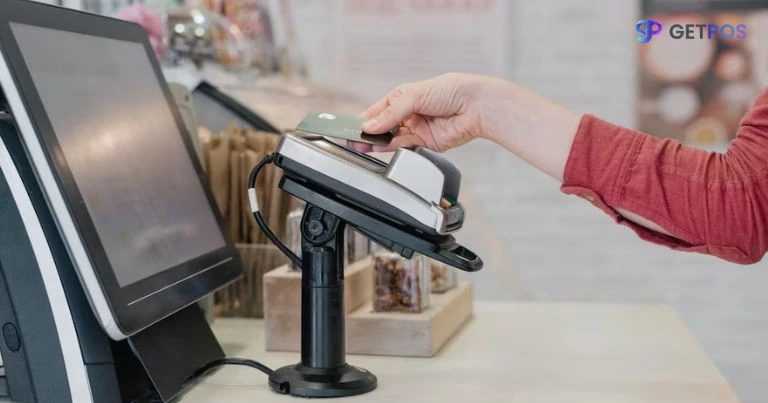

A Point of Sale system is the combination of hardware and software businesses use to complete sales. This includes barcode scanners, card readers, receipt printers, and cash drawers—all connected to the POS software. Whether it’s in a retail store, restaurant, or salon, these systems must perform seamlessly to avoid customer dissatisfaction and lost revenue.
Why POS Testing is Crucial for Retail and Hospitality
Real-time Transactions, Real-time Expectations
Unlike other software where minor glitches are tolerable, even a small hiccup in POS systems can lead to lost sales. Customers won’t wait for your system to reboot. They’ll walk out the door. That’s why retailers must treat POS testing as a core part of their point of sale solutions deployment.
POS Testing vs. Other Software Testing
POS testing differs from web or app testing. It involves both hardware and software components, real-time data, and sometimes even staff behavior. You’re not just testing code—you’re testing human interaction with tech.
Types of POS Testing
Functional Testing
Does the POS system perform its core tasks—billing, inventory update, returns—correctly?
Integration Testing
Your POS might need to talk to ERP, CRM, or payment gateways. Integration testing ensures everything speaks the same language.
Security Testing
With credit cards and personal data involved, security testing checks for vulnerabilities like data leaks and unauthorized access.
Performance and Load Testing
Can your POS handle hundreds of transactions during peak hours? Performance testing is how you find out.
Usability Testing
Is the interface easy for cashiers to use? Are the workflows logical? The smoother the UX, the quicker the checkout process.
Best Practices for Effective POS Testing
Simulate Real-World Scenarios
Don’t just test in a lab—mimic actual retail environments with real traffic, hardware, and customer behaviors.
Test All Hardware Components
From touchscreens to receipt printers, everything should function under different conditions (e.g., power outage recovery).
Validate Inventory and Payment Systems
Your POS should correctly update stock in real time and handle various payment methods—cash, card, wallet, or contactless.
Include End-to-End Workflows
A customer walks in, buys something, applies a discount, pays, and gets a receipt. Your tests should follow this complete journey.
Automate Regression Testing Where Possible
Every update can break something old. Automation helps test recurring features quickly and accurately.
Common Challenges in POS Testing
Multiple Hardware and Software Combinations
Different stores may use different devices or OS versions. Testing all combinations can be a logistical headache.
Third-Party Integrations
From loyalty apps to third-party gift cards, integrations can introduce bugs that are hard to trace.
Testing in Live Environments
Testing without disrupting actual sales? Tricky, but doable with a smart sandbox strategy.
Lack of Standardization
Many POS systems are custom-built. This makes it difficult to follow one-size-fits-all testing processes.
Solutions and Strategies to Overcome Testing Hurdles
Building a POS Sandbox Environment
A dedicated test environment that mirrors the real one helps simulate scenarios safely without customer impact.
Modular Test Scripts
Break down tests into modules—billing, returns, taxes—so updates are easier to manage and maintain.
Regular Update & Patch Testing
Every new software patch needs testing across all terminals to avoid unexpected behavior on the floor.
Future of POS Testing and Innovation Trends
Cloud-Based POS Solutions
As more businesses shift to the cloud, POS testing must include data sync checks, downtime simulations, and connectivity loss cases.
AI and Machine Learning in POS Testing
AI can now predict where bugs might appear or test user journeys based on heatmaps and usage patterns.
Rise of Mobile and Contactless Payment Testing
QR codes, tap-to-pay, mobile wallets—testers must ensure flawless execution of these modern payment methods.
Final Thoughts
POS testing isn’t just another QA step—it’s a mission-critical process that can make or break your retail or hospitality experience. By following best practices, anticipating challenges, and staying on top of trends, businesses can ensure their POS Systems remain reliable, secure, and user-friendly. Whether you’re deploying new POS solutions or upgrading existing ones, testing should always be your first and strongest line of defense.









Sign in to leave a comment.