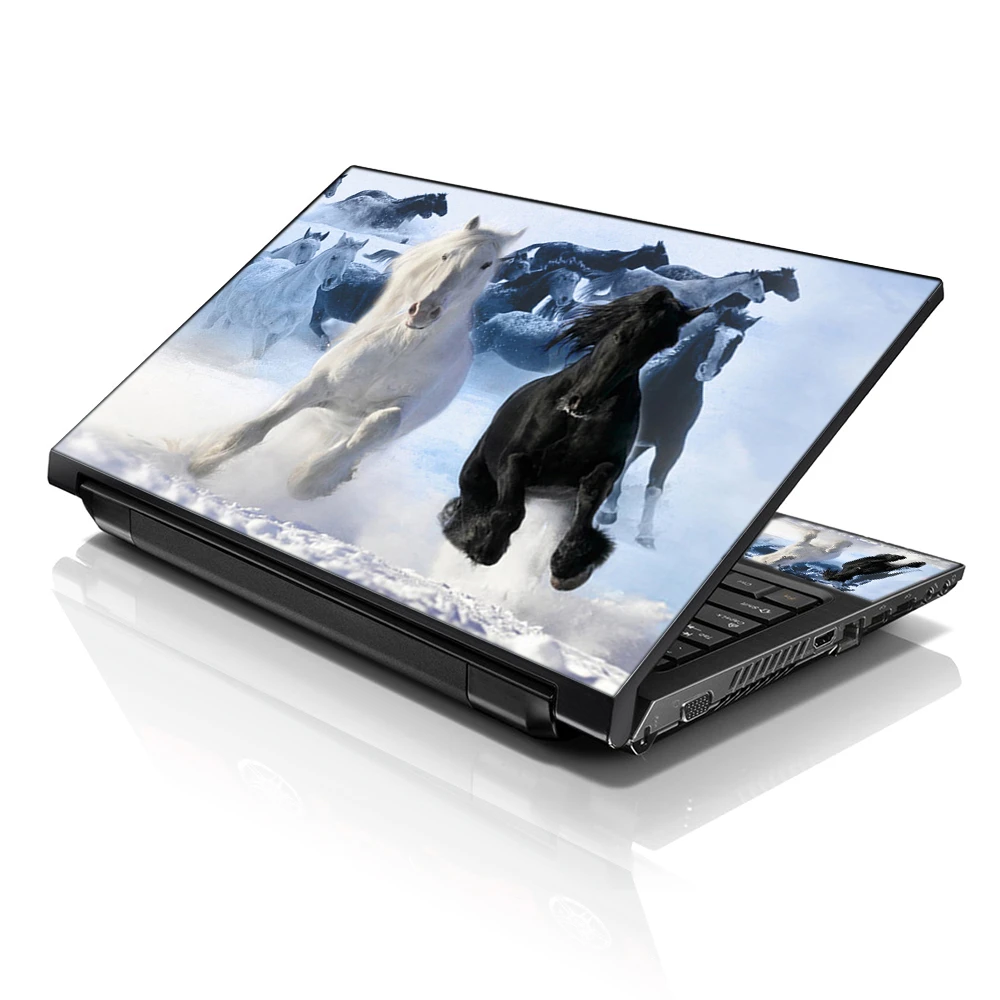

The MacBook is a stylish and powerful piece of tech, but for many, its look can feel a bit too generic. Thankfully, MacBook skins are here to save the day. These skins not only protect your device from scratches and scuffs, but they also offer an easy way to personalize your MacBook and make it reflect your unique style. Whether you're a fan of minimalistic designs or you love vibrant colors, there's a MacBook skin out there that matches your personality. In this post, we’ll dive into the latest trends in macbook skins, specifically MacBook Air skin options, and how you can use them to give your device a fresh new look.
Why MacBook Skins Are a Game-Changer
MacBook skins have become an essential accessory for many MacBook users. They serve multiple purposes, from offering protection against scratches and dust to adding a personalized touch to your device. The trend of customizing MacBooks with skins has been on the rise, and for good reason. MacBook skins are easy to apply and remove and don’t leave behind any sticky residue. This means you can change the look of your device as often as you like without any hassle.
- Protection: A MacBook skin provides a layer of protection against everyday wear and tear, including scratches, dirt, and even minor bumps.
- Personalization: With countless designs available, you can express yourself through your MacBook skin, whether it's a sleek, minimalistic design or something bold and eye-catching.
Personalizing your MacBook with skin is a simple and affordable way to make your device stand out from the crowd.
Popular MacBook Skin Materials and Coatings
MacBook skins come in a variety of materials, each offering different levels of durability and style. Choosing the right material for your MacBook skin depends on your personal preferences and how you plan to use your device.
Vinyl MacBook Skins
Vinyl skins are the most popular choice for MacBook customization. They are easy to apply, durable, and come in a wide range of designs and finishes, such as matte, glossy, and textured.
- Pros: Durable, water-resistant, and easy to remove.
- Cons: Can sometimes leave bubbles if not applied correctly.
Leather MacBook Skins
For a luxurious look, many users opt for leather skins. These skins give your MacBook an elegant and premium feel with a rich texture that feels great to the touch.
- Pros: Soft texture and premium aesthetic.
- Cons: Expensive and can be prone to wear over time.
Wood and Carbon Fiber Skins
Wood and carbon fiber skins offer a unique, high-end finish that makes your MacBook stand out. Carbon fiber skins provide a sleek, modern look, while wood skins offer a natural, earthy vibe.
- Pros: Unique and high-quality aesthetic.
- Cons: It can be more expensive than other options.
Each of these materials offers a different vibe, allowing you to tailor your MacBook skin to your personal style and needs.
Top MacBook Skin Trends to Follow
Now that we’ve covered the basics of MacBook skins and materials, let’s take a look at the latest trends that are taking over the customization scene. These trends cater to a variety of tastes, from those who prefer subtle designs to those who want to make a bold statement.
Minimalistic and Sleek Designs
If you're someone who values simplicity, a minimalistic skin might be the perfect fit for your MacBook. Clean lines, monochrome colors, and subtle textures are all the rage in the MacBook skin world.
- Colors: Neutral tones such as matte black, white, and grey are popular choices.
- Textures: Smooth and matte finishes offer a sleek, modern look that complements the MacBook’s premium design.
Nature-Inspired MacBook Skins
For those who love the outdoors, nature-inspired MacBook skins have gained significant popularity. From wood grain textures to mountain landscapes, these skins bring the beauty of nature to your MacBook.
- Designs: Floral patterns, landscapes, and wood grain finishes are some of the top picks.
- Aesthetic: These designs often combine earthy tones with calming patterns that evoke tranquility.
Bold and Vibrant Colors
If you want to turn heads, vibrant and bold designs are a great option. Bright colors and eye-catching patterns allow you to make a statement with your MacBook.
- Designs: Abstract art, pop culture references, and neon colors are trending.
- Aesthetic: The bolder, the better – think bright pinks, oranges, and electric blues.
This trend is perfect for those who want to infuse personality and creativity into their devices.
Customizable MacBook Skins: Make It Truly Yours
One of the greatest advantages of using MacBook skins is the ability to customize them. Many companies offer services where you can upload your own designs, images, or even logos to create a unique MacBook skin. This opens up endless possibilities for personalization.
- DIY Designs: Create your own design using graphic software or by uploading personal artwork.
- Branding: For businesses, customizing MacBook skins with company logos can help establish a professional brand identity.
Customized MacBook skins are an excellent way to add a personal touch and make your device truly yours.
MacBook Air Skin: The Perfect Fit
When it comes to MacBook Air users, the need for a sleek, light, and durable skin is crucial. MacBook Air skins are designed specifically to fit the thinner profile of the MacBook Air, ensuring a snug fit without adding unnecessary bulk.
- Ultra-Thin Skins: These skins are specifically made to enhance the MacBook Air’s slim profile while offering protection.
- Lightweight: The MacBook Air is all about portability, so lightweight skin ensures that your device remains as sleek and easy to carry as possible.
The MacBook Air skin is perfect for those who want to keep their device light and stylish without compromising on protection.
How to Choose the Right MacBook Skin for You
Choosing the right MacBook skin requires considering several factors, such as the material, design, and functionality. Here are some tips to help you make the right choice:
- Consider Your Lifestyle: If you're always on the go, opt for a durable material like vinyl that’s easy to clean and resistant to scratches.
- Match Your Personality: Choose a design that reflects your personal style. Whether it’s minimalist, artistic, or bold, your MacBook skin should express who you are.
- Fit and Functionality: Ensure that the skin fits your specific MacBook model. MacBook Air skins, for example, are different from those made for MacBook Pro models.
By considering these factors, you’ll be able to choose the skin that best suits your needs and style.
MacBook Coating vs. MacBook Skin: What’s the Difference?
While MacBook skins are all about personalization and protection, macbook coating are a more permanent solution. Coatings are applied directly to the device's surface and provide a more long-lasting finish compared to skins.
- MacBook Skins: Removable, customizable, and provide temporary protection.
- MacBook Coatings: Permanent, add a layer of protection, but can’t be changed easily.
Deciding between a skin and a coating depends on whether you prefer flexibility or long-term protection.
Maintenance Tips for Your MacBook Skin
Once you've chosen and applied your MacBook skin, it's important to keep it in good condition. Here are a few maintenance tips:
- Clean Regularly: Use a microfiber cloth to wipe down your MacBook skin and remove any dust or fingerprints.
- Avoid Harsh Chemicals: Stick to gentle cleaning solutions to avoid damaging the skin.
- Edge Protection: Be mindful of the edges to ensure they don't peel over time.
By following these tips, you can ensure that your MacBook skin remains in great condition for as long as possible.
The Future of MacBook Skins and Customization
As technology continues to evolve, so does the world of MacBook customization. The future of MacBook skins looks bright, with more innovative materials, designs, and customization options on the horizon. Expect to see:
- Interactive Skins: Imagine skins that change colors or patterns based on your preferences.
- Sustainability: Eco-friendly MacBook skins made from recycled materials are likely to become more popular as consumers demand greener products.
The possibilities for MacBook skins are endless, and they’ll continue to provide users with more ways to personalize their devices.
Conclusion
MacBook skins offer the perfect balance of style, protection, and personalization for your device. With countless options available, there’s something for everyone, whether you prefer a sleek, minimalist design or a bold, vibrant look. By choosing the right skin for your MacBook, you can make your device stand out and reflect your unique personality. Don’t forget to consider macbook air skin options if you’re using this lighter model, as they offer the perfect fit and protection. Whether you’re looking for a temporary design update or a more permanent solution, MacBook skins have got you covered.
Frequently Asked Questions
What is the difference between MacBook skins and coatings?
MacBook skins are removable, customizable designs that provide temporary protection. Coatings, on the other hand, are more permanent and applied directly to the device.
Q: Are MacBook skins easy to remove?
Yes, MacBook skins are designed to be easily removable without leaving any sticky residue behind.
Q: Can I customize my MacBook skin with my own design?
Absolutely! Many companies offer customization services where you can upload your own designs, images, or logos.
Q: Are MacBook skins durable?
Yes, MacBook skins are generally durable, especially vinyl skins, which are resistant to scratches and dirt.
Q: Do MacBook skins affect the device's cooling?
Most MacBook skins are designed with thin materials that do not interfere with the device’s cooling system.
Q: Are MacBook skins waterproof?
While most MacBook skins are water-resistant, they are not completely waterproof. It’s best to avoid exposing your MacBook to excessive moisture.










Sign in to leave a comment.