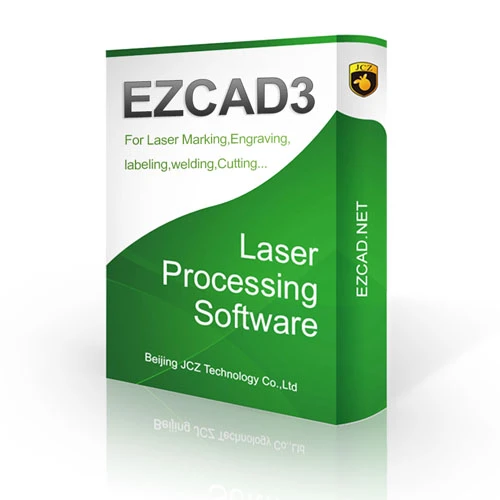
In the rapidly evolving world of laser marking and engraving, the choice of software can make a significant difference in both productivity and quality. Among the many options available, EZCAD3 stands out as a powerful and widely adopted laser marking software solution. This article will delve deeply into what distinguishes EZCAD3, exploring its unique aspects, applications, and why professionals in various precision industries rely on it consistently.
Understanding EZCAD3 in the Context of Laser Marking
Laser marking involves using a focused laser beam to mark or engrave a material’s surface. The marking process requires precision, control, and flexibility to handle diverse materials and complex designs. This is where software plays a crucial role—translating digital designs into precise laser movements.
EZCAD3 is a dedicated software developed specifically for laser marking systems. It interfaces directly with laser hardware, enabling users to design, control, and execute marking jobs seamlessly. The software supports various laser types including fiber lasers, CO2 lasers, and UV lasers, making it versatile across industries like automotive, electronics, medical devices, jewelry, and aerospace.
Why Does EZCAD3 Excel in Precision and Control?
One of the major reasons EZCAD3 has earned preference is its ability to deliver unmatched precision. Precision industries demand laser markings that are not only accurate but also consistent throughout large production runs. EZCAD3 offers tight control over laser parameters such as speed, power, frequency, and pulse, allowing operators to fine-tune every detail.
This high degree of control ensures that even the most intricate patterns, serial numbers, logos, or QR codes are marked with impeccable clarity. The software’s interface is designed to allow quick adjustments without needing to stop production, enhancing efficiency.
Seamless Integration with Diverse Hardware Systems
EZCAD3 is designed to integrate smoothly with a wide range of laser marking machines from different manufacturers. This compatibility makes it a preferred software option for businesses that might have multi-brand laser systems or are looking to upgrade without replacing their entire software suite.
Additionally, EZCAD3 supports various hardware protocols and drivers, enabling communication with different types of laser sources. This flexibility reduces operational downtime and simplifies training for users, as one software platform can manage multiple machines.
User Experience Tailored for Both Beginners and Experts
Despite its powerful capabilities, EZCAD3 maintains a user-friendly interface that appeals to operators across skill levels. For beginners, the software provides intuitive controls and preset configurations that help them get started quickly with minimal training. On the other hand, advanced users benefit from extensive customization options and scripting capabilities for automating complex marking sequences.
The software’s design ensures that users do not have to struggle with overly technical jargon or complicated menus. Instead, it balances simplicity with advanced functionality, making laser marking accessible without sacrificing professional-grade results.
Versatility Across Materials and Applications
The flexibility of EZCAD3 extends beyond hardware compatibility to the variety of materials it can handle. From metals like stainless steel, aluminum, and titanium to plastics, ceramics, and even glass, EZCAD3 supports marking on almost every industrial substrate.
This versatility is crucial for industries where multiple materials are processed, such as medical device manufacturing, where both metal implants and polymer components require precise identification marks. By offering adaptable settings, EZCAD3 enables users to switch between materials without extensive recalibration.
Enhancing Workflow with Advanced Design Capabilities
A standout aspect of EZCAD3 is its built-in graphic design tools. Users can import artwork, logos, barcodes, and text, or create designs directly within the software. This reduces the dependency on external graphic programs, streamlining workflow and saving time.
The software supports multiple file formats including AI, DXF, BMP, JPG, and PLT, allowing seamless import from popular design tools. Additionally, the ability to preview the laser path and simulate the marking process before execution helps prevent errors, minimizing material waste and costly rework.
Automation and Batch Processing for High-Volume Production
In industries with high production volumes, EZCAD3 shines by supporting batch processing and automation features. Users can set up templates for repetitive tasks, automatically generate serial numbers, dates, or QR codes, and program the software to handle complex marking sequences without manual intervention.
This capability greatly enhances throughput and consistency, ensuring every item in a batch carries the correct and legible mark. Moreover, the software’s data management tools allow easy import of variable data from external databases or Excel files, further integrating laser marking into broader manufacturing workflows.
Real-Time Monitoring and Error Handling
EZCAD3 incorporates real-time monitoring features that alert operators to any deviations or errors during the marking process. This proactive approach helps maintain high quality standards and prevents downtime caused by undetected mistakes.
With detailed feedback on laser performance and marking status, operators can quickly adjust settings or troubleshoot issues, ensuring uninterrupted production and adherence to strict industry requirements.
Support and Community Around EZCAD3
Another factor contributing to EZCAD3’s popularity is the extensive support network available. From official technical assistance to active user communities online, users can easily find help and share knowledge. Tutorials, training videos, and forums provide resources for both novices and experienced technicians to maximize the software’s capabilities.
Many manufacturers also bundle EZCAD3 with their laser marking systems, offering tailored support and updates to ensure optimal performance.
Use Cases Illustrating EZCAD3’s Impact
- Automotive Industry: Marking vehicle identification numbers (VINs) on metal parts with exact precision to comply with regulations. EZCAD3 enables rapid and repeatable markings critical for quality control and traceability.
- Electronics: Engraving micro-sized serial numbers and QR codes on circuit boards where space is limited, demanding extreme accuracy.
- Jewelry: Creating intricate, personalized engravings on precious metals with smooth gradients and consistent depth.
- Medical Devices: Adding permanent, biocompatible marks on implants and surgical tools, where accuracy and permanence are crucial.
- Packaging: Applying variable data like batch numbers and expiry dates on plastic or glass containers efficiently within fast-paced production lines.
The Continuous Evolution of EZCAD3
Laser marking technologies continue to advance, and so does EZCAD3. Its developers regularly update the software to introduce new features, improve compatibility, and enhance user experience. These updates ensure that EZCAD3 stays ahead in meeting the demands of modern industries, maintaining its reputation as a cutting-edge solution.
Final Thoughts
EZCAD3 is more than just laser marking software—it is a comprehensive platform that harmonizes precision, flexibility, and ease of use. Its ability to seamlessly integrate with diverse hardware, handle various materials, and streamline complex workflows makes it the preferred choice for professionals across numerous industries.
By empowering operators with control and automation, EZCAD3 enables high-quality, consistent markings essential for product identification, compliance, and branding. Whether for small-scale custom projects or large-volume industrial production, EZCAD3 remains a trusted partner in achieving exacting standards in laser marking.
If you’re seeking software that combines reliability, adaptability, and advanced functionality, EZCAD3 stands out as an excellent option to elevate your laser marking operations.









Sign in to leave a comment.