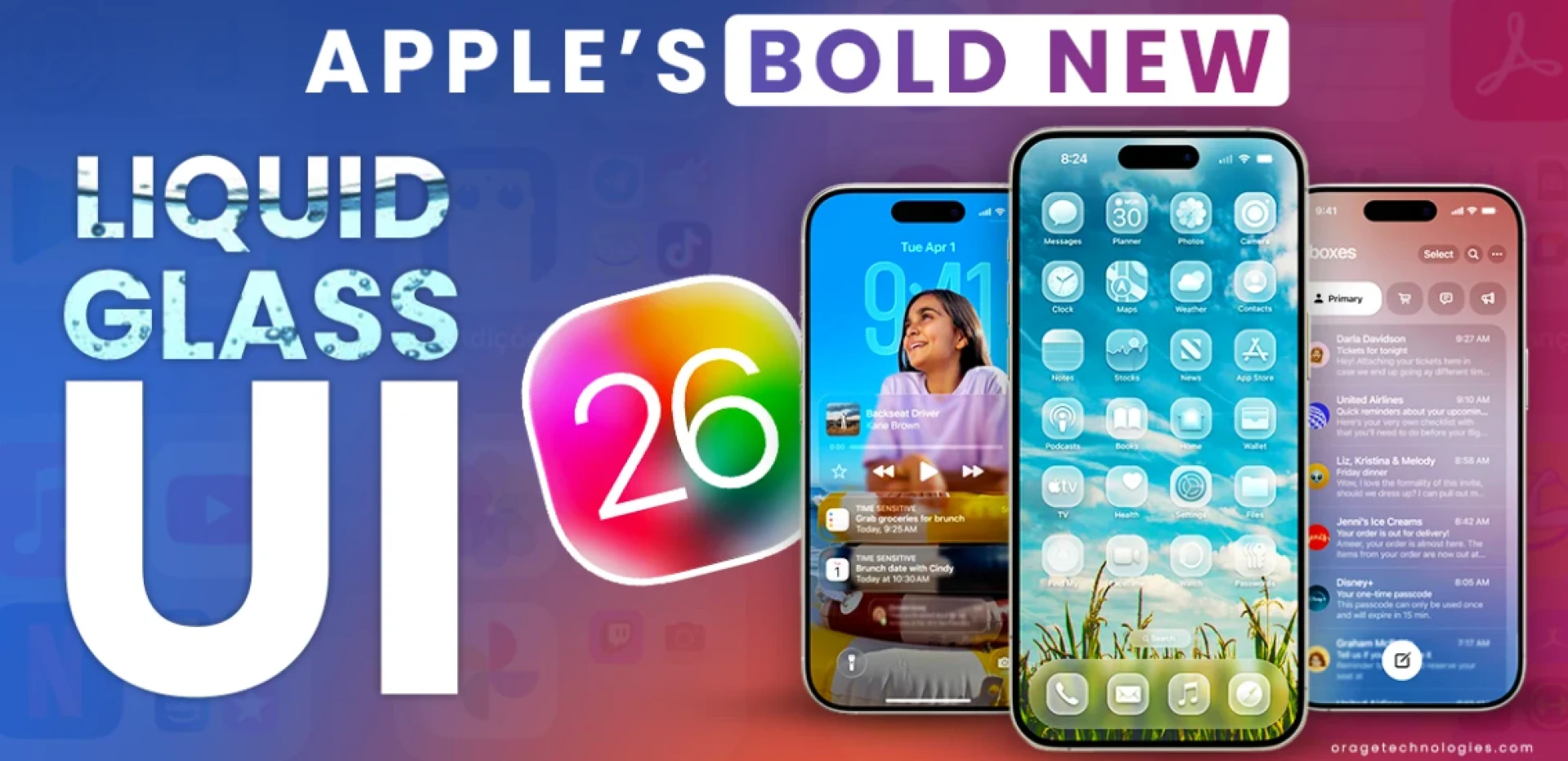

Apple's latest software revamp, the Bold New Liquid Glass UI, has once again caused a stir in the tech community. This is the biggest visual update since iOS 7 in 2013 and was unveiled at WWDC 2025. However, what is the Liquid Glass UI and how will it change the way you interact with Apple products? We'll examine the features, advantages, and commonly asked questions of this ground-breaking design language in this in-depth analysis.
Apple's Bold New Liquid Glass User Interface: What Is It?
All Apple platforms now have a glass-like, translucent appearance thanks to Apple's Bold New Liquid Glass UI, a new, cohesive design language. It presents a novel material that functions similarly to actual glass—reflecting, refracting, and constantly adjusting to its environment—inspired by the depth and complexity of visionOS. This content can be found in larger components like tab bars and sidebars as well as buttons, switches, and sliders. The end effect is an immersive, aesthetically beautiful interface that feels both contemporary and comfortable.
Across iOS 26, iPadOS 26, macOS Tahoe 26, watchOS 26, and tvOS 26, the Liquid Glass user interface is made to be uniform. Clarity, depth, and real-time responsiveness are given priority in this design, which is a departure from the flat, colorful styles of recent years. Whether you're touching a button or navigating an app, the fluid, glass-like animations and flexible color schemes make every interaction more enjoyable and captivating.
What Effects Does Liquid Glass Have on Apple Devices' Appearance and Feel?
Transparent, glass-like elements are used throughout Apple's Bold New Liquid Glass UI, which is the most obvious difference. The Dock, widgets, and app icons are now made from several layers of Liquid Glass, which gives them a smooth, transparent look. These components create a sense of unity between hardware and software by stealing colors from your wallpaper or the information behind them.
With specular highlights that respond to your movements, buttons, switches, and sliders now appear to be made of genuine glass. This new material has been used to update the Lock Screen, Home Screen, alerts, and Control Center, giving each interaction a more dynamic and unified look. Liquid Glass is now used to depict the time on the lock screen, which smoothly changes to the wallpaper of your choice.
How Is the User Experience Improved by Liquid Glass?
The Bold Apple The New Liquid Glass UI is made to be more usable in addition to being aesthetically pleasing. By making controls and navigation components more user-friendly and less obtrusive, the new design increases the focus on the content. For instance, iOS 26 keeps navigation accessible but out of the way by reducing the size of the tab bars when you scroll down. They smoothly expand when you scroll back up, making it simple to navigate between app parts.
Sidebars on iPadOS and macOS have been modified to reflect and refract content so that you always know what's going on. Liquid Glass is now used to create controls and toolbars, which serve as a separate functional layer on top of apps. They change dynamically as you go through an app's many sections, making it simpler to locate the options you require.
What Devices Will Get the Liquid Glass UI?
Apple’s Bold New Liquid Glass UI is a universal design language, meaning it will be available across all major Apple platforms. This includes:
- iPhone (iOS 26)
- iPad (iPadOS 26)
- Mac (macOS Tahoe 26)
- Apple Watch (watchOS 26)
- Apple TV (tvOS 26)
The update is planned for a September 2025 release, with the redesign also serving as a celebration of the iPhone’s 20th anniversary, even though the actual anniversary is in 2027.
What Is the Difference Between Liquid Glass and Other Apple Design Languages?
The first significant makeover since iOS 7, which introduced the flat design language that has characterized Apple software for more than ten years, is Apple's Bold New Liquid Glass UI. Skeuomorphic components, which imitated real-world things, were abandoned in iOS 7, but Liquid Glass restores a sense of depth and solidity in a contemporary, digital manner.
Liquid Glass employs translucency, real-time rendering, and dynamic animations to produce a more immersive experience than earlier iterations, which depended on vivid colors and flat surfaces. As a result, the interface has a polished and sophisticated feel that only Apple can provide, while still feeling familiar and new.
What Are the Liquid Glass UI's Main Features?
Several noteworthy features are introduced by Apple's Bold New Liquid Glass UI:
Translucent, Glass-Like Elements: Media controls, sliders, switches, and buttons now have the appearance and functionality of actual glass.
Dynamic Color Adaptation: The user interface cleverly alternates between light and dark modes and changes its color according to the content around it.
Real-Time Rendering: The content dynamically responds to motions by rendering backdrop colors and shapes in real time.
Unified Design Across Platforms: The iPhone, iPad, Mac, Apple Watch, and Apple TV all have the same appearance and feel.
Better Content Focus: Less obtrusive controls and navigational elements make it simpler to concentrate on the content.
Improved Customization: You may add new hues and transparent designs to the Dock, widgets, and app icons.
What Advantages Will the Liquid Glass UI Offer Developers?
Apple's Bold New Liquid Glass UI is beneficial to developers as well as users. Third-party apps can now easily use the Liquid Glass design language thanks to new APIs for SwiftUI, UIKit, and AppKit that Apple has released. Now, developers can create apps that are more aesthetically pleasing, intuitive, and integrated with the rest of the system by utilizing Liquid Glass materials and enhanced controls.
The glass-like look and dynamic animations will therefore be included into an increasing number of apps over time, giving your entire device a more cohesive and engaging experience.
How Do People Feel About Apple's Vibrant New Liquid Glass User Interface?
Reactions to Apple's bold new liquid glass user interface have been diverse. Alan Dye, Apple's vice president of Human Interface Design, referred to the design as the company's "biggest thorough software design revamp to date," while Tim Cook, the CEO of Apple, described it as "expressive, engaging, but still instantly familiar."
People have been both excited and skeptical on social media. While some commend the new style for its sophistication and immersive quality, others wonder if the glass-like components will be too obtrusive or difficult to read in some lighting scenarios. Most people agree that this is a daring, progressive update that will influence Apple software for years to come.
Will Battery Life or Performance Be Affected by the Liquid Glass User Interface?
Whether Apple's bold new liquid glass user interface will affect battery life or device performance is a frequently asked subject. Apple claims that by utilizing its advancements in silicon, graphics, and hardware technology, the Liquid Glass material is suited for dynamic adaptability and real-time rendering. This indicates that even if the user interface is more aesthetically complicated, it is made to function properly and effectively on all compatible devices.
The Liquid Glass UI ran smoothly on the iPhone, iPad, and Mac in early WWDC 2025 demos, with no latency or stuttering to be seen. To make sure the new interface is both aesthetically pleasing and functional, Apple's engineering team has collaborated closely with the design team.
How do I Customize the Liquid Glass User Interface?
Apple’s Bold New Liquid Glass UI offers further customisation. For example, the users can add clear, gradient-icon widgets and programmable icons that sail over light or dark backgrounds, offering rich new colors and an elegant, minimalistic design to customize the desktop and the Dock in macOS Tahoe 26. The menu bar may go totally transparent for maximised screen.
Widgets and app icons on iPhone and iPad can now be personalized with fresh color shades and a glassy flourish. You can even set the wallpaper of your choice as your Lock Screen and Home Screen by adjusting the clock and other features to complement the image.
The inclusion of Liquid Glass is also a sign of Apple’s larger vision for spatial computing and AR, where the design language will have a similar look and feel to that of visionOS125. This would seem to indicate that Apple is gearing up for a future in which the boundaries between virtual and physical worlds are crossed and recrossed, in interfaces that are intelligent without being blemish-prone.
Frequently Asked Questions
What is the Liquid Glass UI?
Apple’s Liquid Glass UI is a incompatible design, which leverages translucent, glass-like elements across all Apple platforms thus enhancing the holistic, immersive and consistent user experience123.
When is Liquid Glass UI published?
Liquid Glass UI is scheduled for launch in September 2025, and will be available for updates to iOS 26, iPadOS 26, macOS Tahoe 26, watchOS 26, and tvOS 26356.
What gadgets will beliquify with the Liquid Glass UI?
No word on whether the Liquid Glass UI will extend to iPhone, iPad, Mac, Apple Watch, and Apple TV
What does Liquid Glass do for the user?
Liquid Glass provides a more natural way of controlling and navigating, with Fluid Animations and Adaptive Color schemes that are designed around a unique Content and Movement Awareness256.
Will developers get access to Liquid Glass UI for their apps?
Yes Apple has launched new API’s that enable it to be simple for developers to bring the Liquid Glass design language to 3rd-party apps56.
Does the Liquid Glass UI degrade Performance or Battery Life?
Liquid Glass UI has been heavily optimized for real time rendering and dynamic scaling, guaranteeing the skin is as smooth as it is beautiful and that it operates at as high a frame rate (and as low a power consumption) as possible.
How can I customize the Liquid Glass UI?
You can personalize app icons, widgets, the Dock, and the menu bar with new color schemes and glass-like effects, with more customization options available on macOS Tahoe 26.









Sign in to leave a comment.