
Virtual Desktop Infrastructure (VDI) has transformed how organizations manage their IT resources. Employees can access their desktops from anywhere, IT teams gain centralized control, and hardware costs drop significantly. But there's a catch that every VDI administrator knows too well: boot storms.
When hundreds of users log in simultaneously at the start of the workday, the storage system faces a massive spike in I/O requests. Without proper NAS storage solutions in place, this results in painfully slow boot times, frustrated employees, and calls flooding the IT helpdesk.
This guide explores how to design NAS systems that can handle the unique demands of VDI environments, keeping your boot storm performance smooth and your end users productive.
Understanding the Boot Storm Challenge
Boot storms occur when multiple virtual desktops attempt to boot simultaneously, typically at the beginning of business hours. Each desktop needs to load an operating system, applications, user profiles, and various services all from the same storage infrastructure.
The result? Your storage system experiences a surge in random read operations that can overwhelm even robust infrastructure. Users experience delays ranging from minutes to complete login failures. In large organizations with thousands of virtual desktops, this isn't just an inconvenience, it's a business continuity issue.
Traditional storage solutions often buckle under this pressure because they weren't designed for the specific I/O patterns VDI creates. This is where purpose-built NAS storage solutions become essential.
Key Performance Requirements for VDI Storage
Before designing your storage infrastructure, you need to understand what VDI demands from your NAS systems.
IOPS capacity stands at the top of the list. VDI environments require high input/output operations per second, particularly during boot storms. A typical virtual desktop might need 10-30 IOPS during normal operation, but this can spike to 50-100 IOPS during boot.
Low latency is equally critical. Users notice delays beyond 20 milliseconds. Your NAS storage solutions must consistently deliver sub-10ms latency even under heavy load to maintain acceptable user experience.
Consistent performance matters more than peak performance. It's better to have predictable, reliable throughput than impressive benchmarks that don't hold up under real-world conditions.
Designing Your NAS Storage Architecture
An effective VDI storage design starts with choosing the right hardware foundation.
Storage Tier Strategy
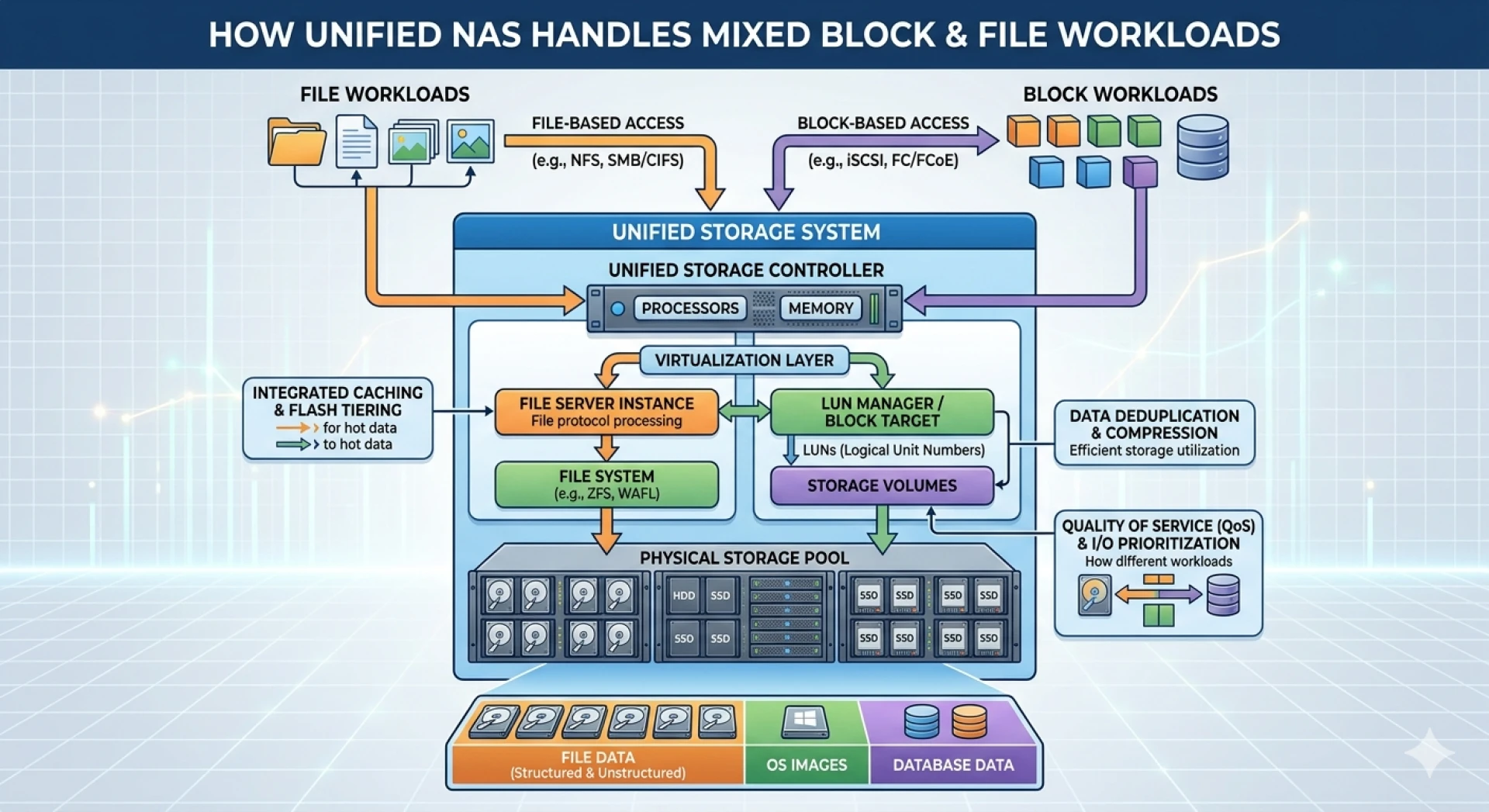
Implement a tiered storage approach to balance performance and cost. Place your boot images and frequently accessed data on high-speed SSD tiers within your NAS systems. Less frequently accessed data, such as archived user files, can reside on traditional HDD storage.
Flash storage has become increasingly affordable and should form the foundation of your VDI storage tier. NVMe SSDs offer exceptional performance for boot storm scenarios, with IOPS capabilities that far exceed what SATA SSDs or HDDs can provide.
Network Infrastructure
Your network can become a bottleneck just as easily as your storage. Deploy 10GbE or higher connectivity between your NAS storage solutions and VDI hosts. Consider separate networks for storage traffic to prevent congestion from other services.
RDMA (Remote Direct Memory Access) over Converged Ethernet can further reduce latency and CPU overhead, though it requires compatible hardware across your infrastructure.
Caching and Acceleration
Modern NAS systems include caching technologies that dramatically improve VDI performance. Read caching helps with boot storms by keeping frequently accessed boot files in high-speed memory or flash storage.
Write caching with proper protection mechanisms accelerates write-heavy operations while maintaining data integrity. However, ensure your NAS backup strategy accounts for data in cache to prevent loss during hardware failures.
Optimizing for Boot Storm Performance
Beyond hardware selection, several configuration strategies can mitigate boot storm impacts.
Staggered Login Policies
Work with your IT security and HR teams to implement staggered start times across departments. Even a 15-30 minute offset between groups can significantly reduce peak storage load.
Some organizations use login scripts that introduce random delays of 1-3 minutes. While users might grumble about the wait, it's far preferable to system-wide slowdowns.
Image Optimization
Minimize the size of your desktop images. Remove unnecessary applications, disable unneeded services, and use linked clones or instant clones where possible. The less data each desktop needs to read during boot, the less strain on your NAS storage solutions.
Regular image maintenance keeps boot times fast. Applications accumulate updates and temporary files over time. Schedule periodic image rebuilds to maintain optimal performance.
Persistent vs. Non-Persistent Desktops
Non-persistent desktops that reset after each session offer better boot storm performance than persistent desktops. They can boot from shared, read-only images with minimal writes to storage.
However, user requirements may dictate persistent desktops for certain departments. Segment these users onto separate NAS systems to prevent their different I/O patterns from affecting non-persistent desktop performance.
Implementing Robust NAS Backup Strategies
High-performance storage means nothing if data isn't protected. Your NAS backup approach for VDI environments requires careful planning.
Backup Windows and Methods
Traditional backup windows don't exist in 24/7 VDI environments. Implement continuous data protection or frequent snapshots that don't impact production performance.
Deduplicate your backups aggressively. Virtual desktop images contain massive amounts of duplicate data across instances. Effective deduplication can reduce backup storage requirements by 95% or more.
Recovery Time Objectives
Define clear RTOs for different components. Boot images should be recoverable within minutes. User data requires different RTO targets based on business criticality.
Test your recovery procedures regularly. Knowing your NAS backup is complete differs from knowing you can actually restore and boot desktops from it under pressure.
Monitoring and Capacity Planning
Deploy comprehensive monitoring for your NAS systems. Track IOPS, latency, throughput, and queue depths at the storage level. Correlate these metrics with user experience data.
Set alerts for performance degradation before users notice problems. If morning boot times creep from 30 seconds to 45 seconds over several weeks, investigate before they reach two minutes and generate helpdesk calls.
Plan capacity increases proactively. Most organizations see VDI growth of 20-30% annually. Factor this into your storage purchases, ensuring you won't hit performance walls mid-fiscal year.
Scaling Your VDI Storage Infrastructure
Start with storage systems that can scale as your VDI environment grows. Scale-out NAS architectures add capacity and performance simultaneously by adding nodes to the cluster.
Consider future requirements beyond user count. New applications, higher resolution displays, and richer user profiles all increase storage demands. Build headroom into your initial deployment.
Building Resilient VDI Storage
VDI has revolutionized workplace flexibility, but only when the underlying storage infrastructure can handle its demands. By implementing purpose-built NAS storage solutions with appropriate performance tiers, robust NAS backup strategies, and careful optimization, you can eliminate boot storms as a productivity barrier.
The investment in proper storage architecture pays dividends through improved user satisfaction, reduced IT support burden, and a VDI environment that scales reliably with your organization's growth.










Sign in to leave a comment.